
1. Navigate to the Customers View
-
Look at the main navigation bar at the top of your screen.
-
Click on Customers.
-
From the dropdown menu, select Customers to open the main audience view.
2. Enter Your Plain Language Search
-
Locate the Search for segmenting options search bar at the top of the Customers view.
-
Instead of manually selecting data fields, simply type the description of the customers you want to segment in plain language.
Note: The AI understands multiple languages, so you can type your query in the language you are most comfortable with.
-
Example query: "customers who have not bought anything in the past 18 months"

3. Generate the Segment
-
Once you have typed your query, click the Try AI Suggestion (Beta) button located just below the search bar.
-
The AI will process your request and automatically generate the necessary search blocks for your segment.
5. Review & Refine the Segment and Provide Feedback
-
If your segment needs refining, click on the Refine button (located near the generated search blocks).
-
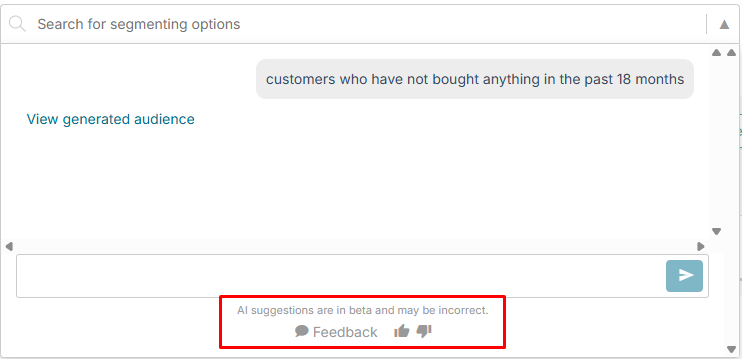
Give Feedback: Help the AI learn! Use the thumbs up or thumbs down icons at the bottom of the refine dropdown. You can also click the Feedback bubble to provide written context (e.g., typing "The sale date should be a range")
-
Ask the AI to Refine: In the text box within the refine menu, type a clarifying instruction. For example, type "no purchases in the past 18 months as a range".
-
Click the Send icon (arrow) to submit your refinement.
6. Final Review
-
The AI will update the search blocks based on your refinement.
-
You can continue to refine the audience or provide more feedback until the segment perfectly matches your needs. Once satisfied, you can save the audience or use it for your upcoming campaigns!