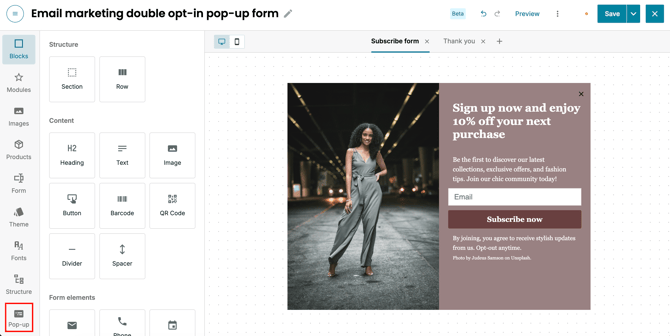
Step #1. Open the position settings in the content editor
When editing your pop-up within the content editor, click on "Pop-up" in the left navigation bar and scroll across to the "Position" option. The default position setting is set to "Center". Click "Preview" to see how the pop-up looks in this default placement.
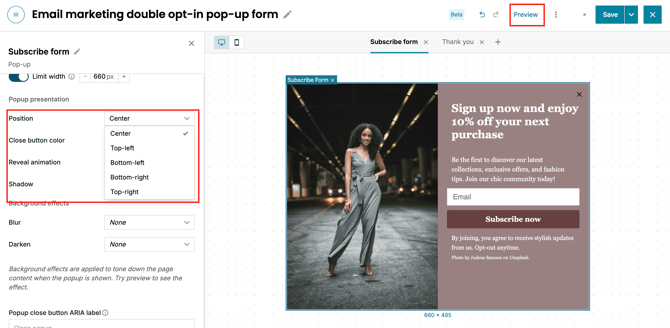
Step #2. Select your preferred display location
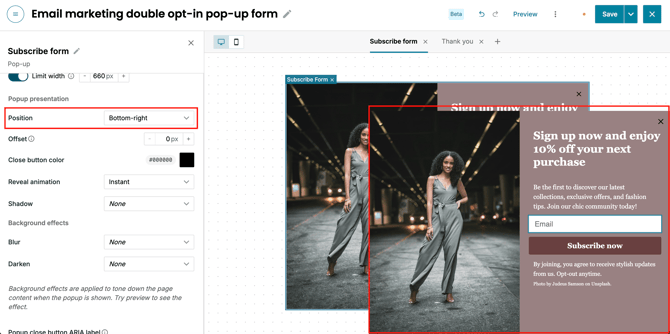
Choose a new position from the available options, such as "Bottom-right", depending on your design preferences. After selecting your desired location, click "Preview" once more to view how the pop-up repositions itself across your screen.
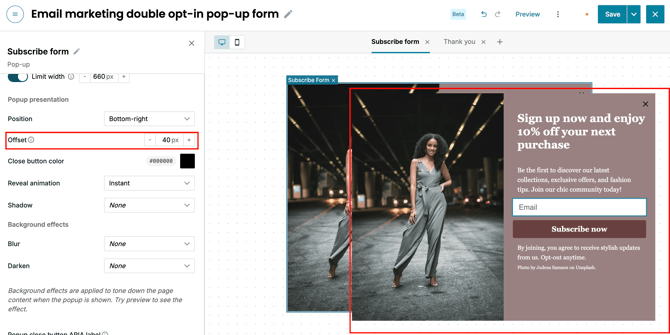
Step #3. Adjust the edge off-set distance
Add a custom off-set to define the exact distance between the pop-up and the edge or corner of the screen. Adding off-set ensures corner-positioned pop-ups appear further away from the window boundary, providing balanced spacing and a clean layout.