
Please follow this guide only if you've received instructions from the Custobar support to do so.
1. In your Shopware 6 store, start by going to your Shopwares extensions tab -> My extensions :
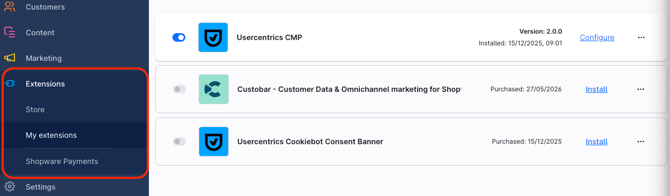
2. From there proceed to delete the old version ->
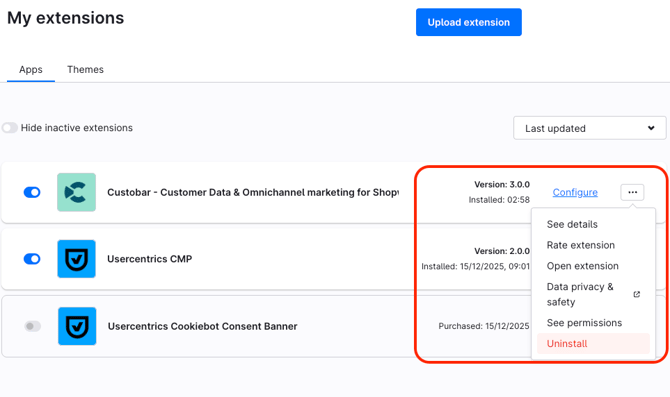
3. Then proceed to uninstall -> 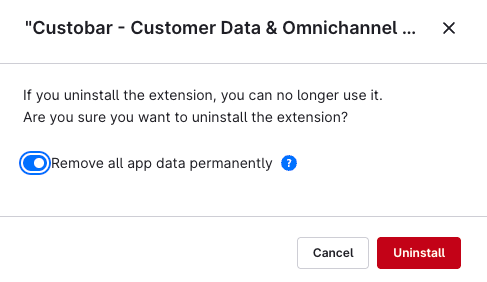
4. Now we are ready to re-install (update) iit from the Store -> 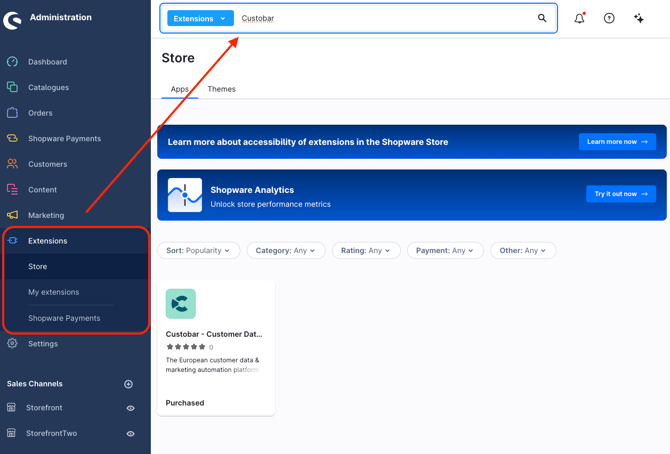
5. Then install the app -> 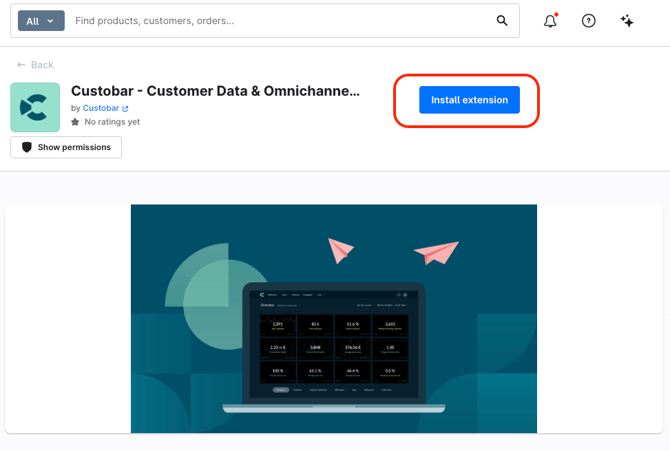
6. Done! Please reply to the email that you received in support.
7. You can view and manage the Shopware integration settings in Custobar. Go to Settings -> Integrations -> Shopware 6.
Shopware 6 – Aktualisiere deine Custobar-Erweiterung
Bitte folge dieser Anleitung nur, wenn du von dem Custobar-Support dazu aufgefordert wurdest.
1. Gehe in deinem Shopware 6 Store zuerst auf den Reiter Erweiterungen -> Meine Erweiterungen:
2. Lösche von dort aus die alte Version ->
3. Führe anschließend die Deinstallation durch ->
4. Jetzt sind wir bereit, die App aus dem Store neu zu installieren (zu aktualisieren) ->
5. Installiere dann die App ->
6. Fertig! Bitte antworte auf die E-Mail, die du vom Support erhalten hast.
7. Du kannst die Shopware-Integrationseinstellungen in Custobar anzeigen und verwalten. Gehe zu Settings -> Integrations -> Shopware 6.